
#868 LED Array Control from macOS
Controlling a string of WS2811 or WS2812B LEDs from macOS through a CH340-based UART-TTL adapter.
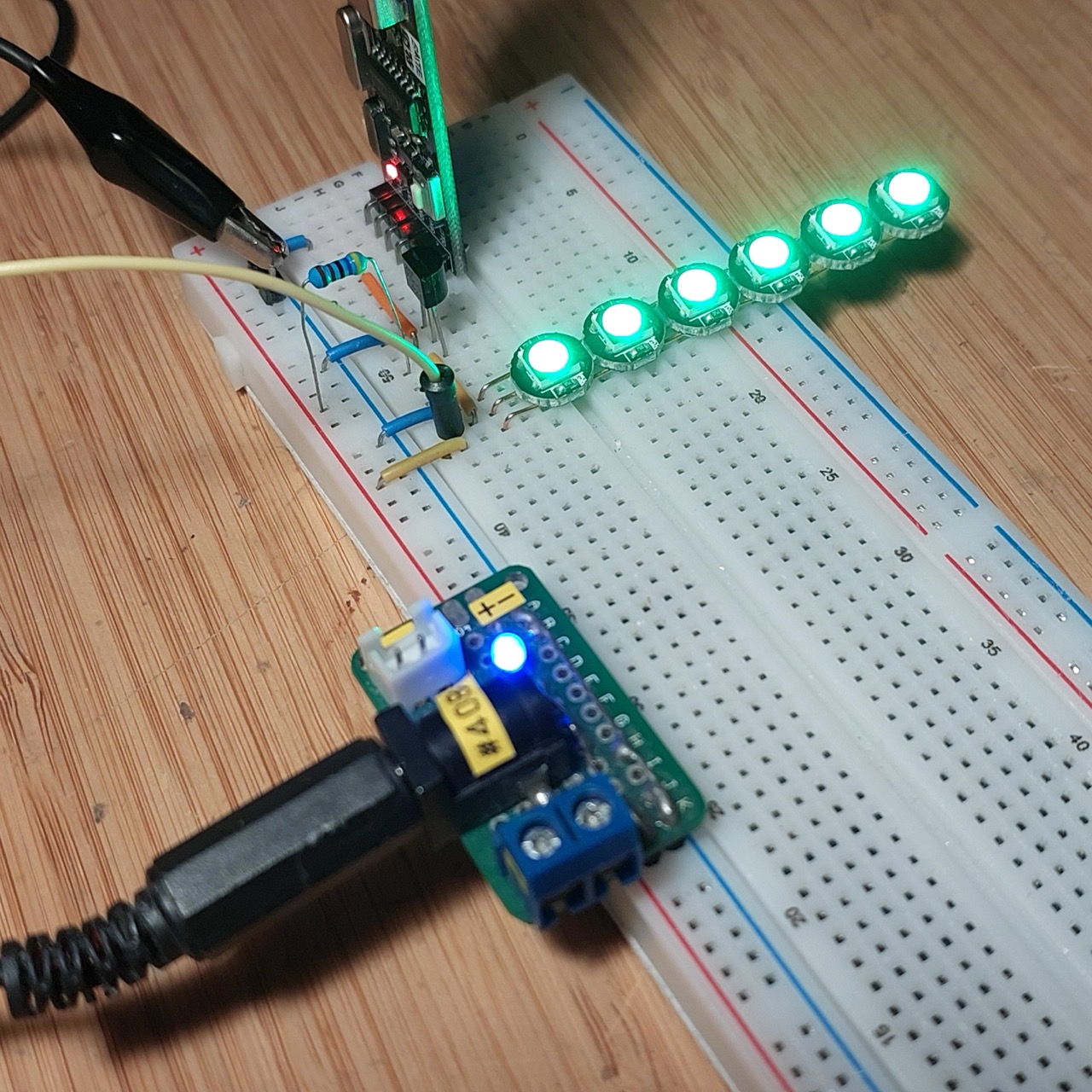
Here’s a quick demo..
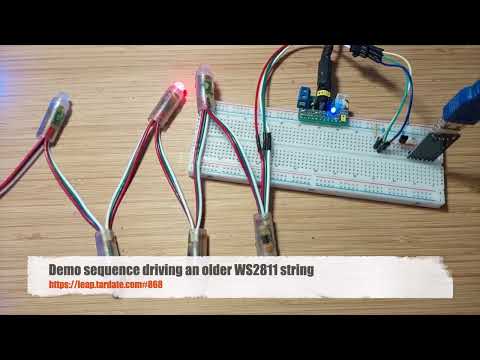
Notes
Steve Schnepp posted how to “Drive a WS2812B strip with an UART”, building on earlier work by Josh Levine: “Give Your Raspberry Pi a NeoPixel”.
It has long been on my todo list to try this out from macOS, and after a bit of fiddling I have some success driving both modern WS2812B COB units and older WS2811 strips from macOS over a CH340 UART-TTL interface.
Conclusions:
- On macOS, need to stream data with a program or script that can set the correct baud rate, rather than rely on
stty - Although strictly over-clicking the CH340, use 2500000 baud for WS2812B
- Older WS2811 may require reduction to 1250000 baud
- A 2N7000 MOSFET works nicely to to invert the active-low TTL to active-high WS28xx logic.
- Data transfer timing is generally reliable, though not 100%.
About ws2812bify
Steve’s ws2812bify tools
for controlling a WS2812B strip with an UART were I think developed for Linux or Raspberry Pi.
Although I can compile them on macOS, they can’t be used because they rely on separately setting the
the UART baud rate with stty, but on macOS this can only be used on an open port, and resets to default when closed.
Python Port for macOS
So, for macOS, I ported the main script to python - see ws2812bify.py. This takes care of opening the serial port with the required baud rate. Usage:
$ ./ws2812bify.py -h
usage: ws2812bify.py [-h] -p PORT [-b BAUDRATE] [-v]

WS2812B Control. Reads NUA-format color data from stdin and sends it to a serial device. NUA hex format: [DD]RRGGBB[ RRGGBB[ RRGGBB] ... ] where DD is the duration in 10ms units, and RRGGBB is the color, though some devices read the color as GGRRBB.

options:
  -h, --help            show this help message and exit
  -p PORT, --port PORT  Serial device name
  -b BAUDRATE, --baudrate BAUDRATE
                        Baud rate for serial communication
  -v, --verbose         Enable verbose output
Circuit Design
The UART transmit line is active-low, so we need an inverter to make the data stream compatible with the active-high WS2812B protocol.
Steve Schnepp experimented with various RTL/DTL schemes to get sufficiently fast switching transients, but I’ve gone with a simple MOSFET switch.
A 4.7kΩ pull-up on the data line seems to provide a sufficiently hard drive. Any higher and it can mess with the timing.
Importantly, I use a dedicated power supply for the LED strip instead of trying to draw the power through the UART. NB: if only trying to drive 1 or 2 LEDs, powering via the UART is feasible.
Designed with Fritzing: see WS2812BControl.fzz.
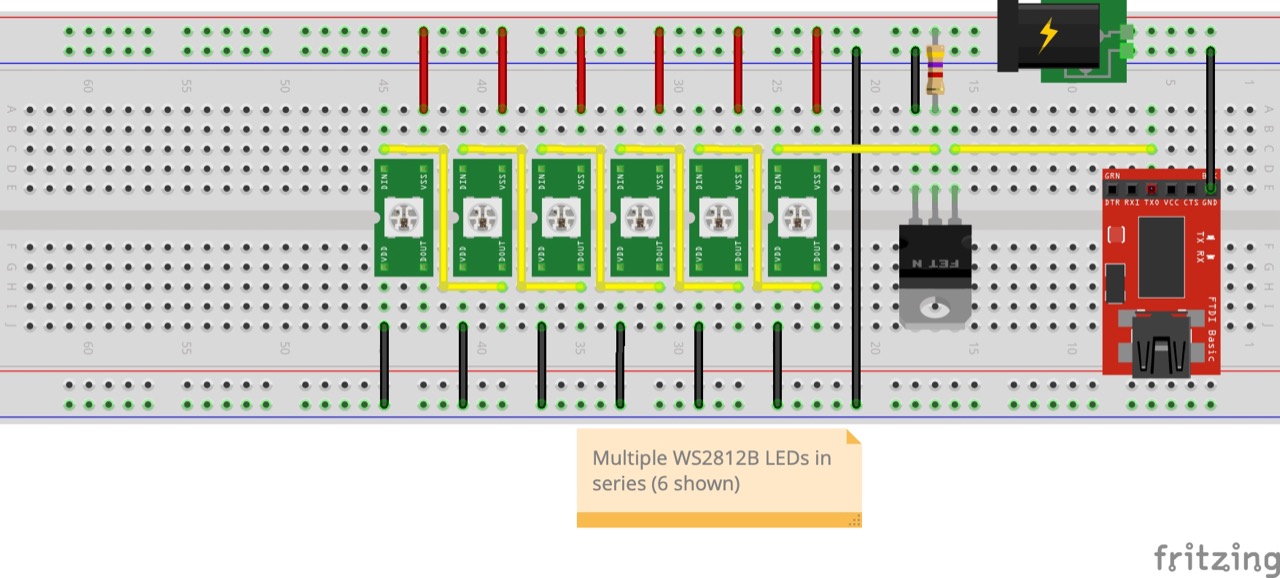
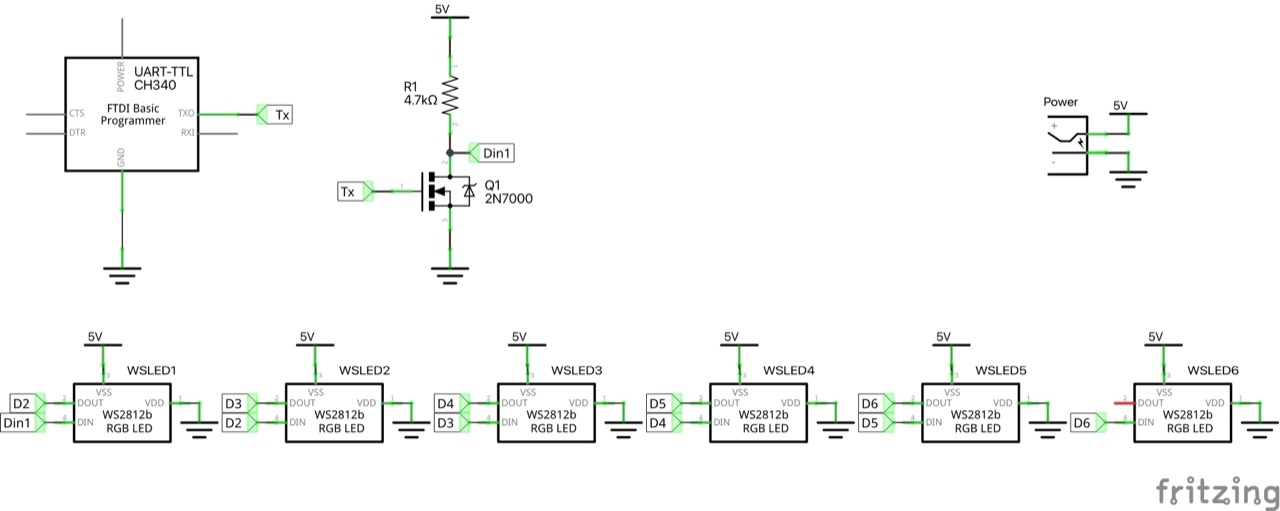
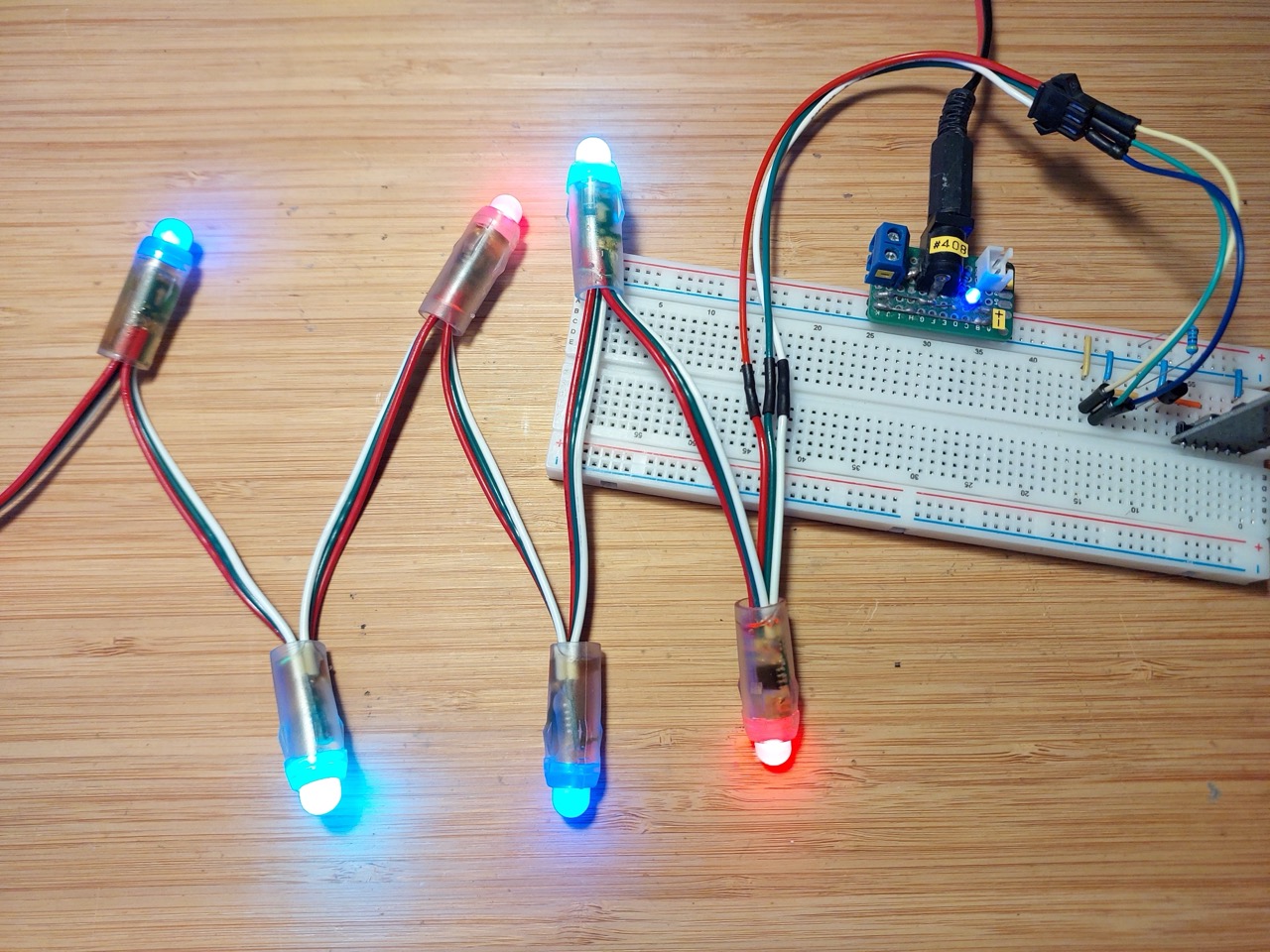
I made up a strip of 6x WS2812B COB LEDs for the demo. These are individual LED units like the Adafruit NeoPixel. I purchased a set of 20 for US$3.12 (Nov-2017): “WS2812B Matrix 4-Pin WS2812 LED Chip & Heatsink 5V 5050 RGB WS2811 IC Built-in 10~1000pcs(100pcs/board)” (aliexpress seller listing).
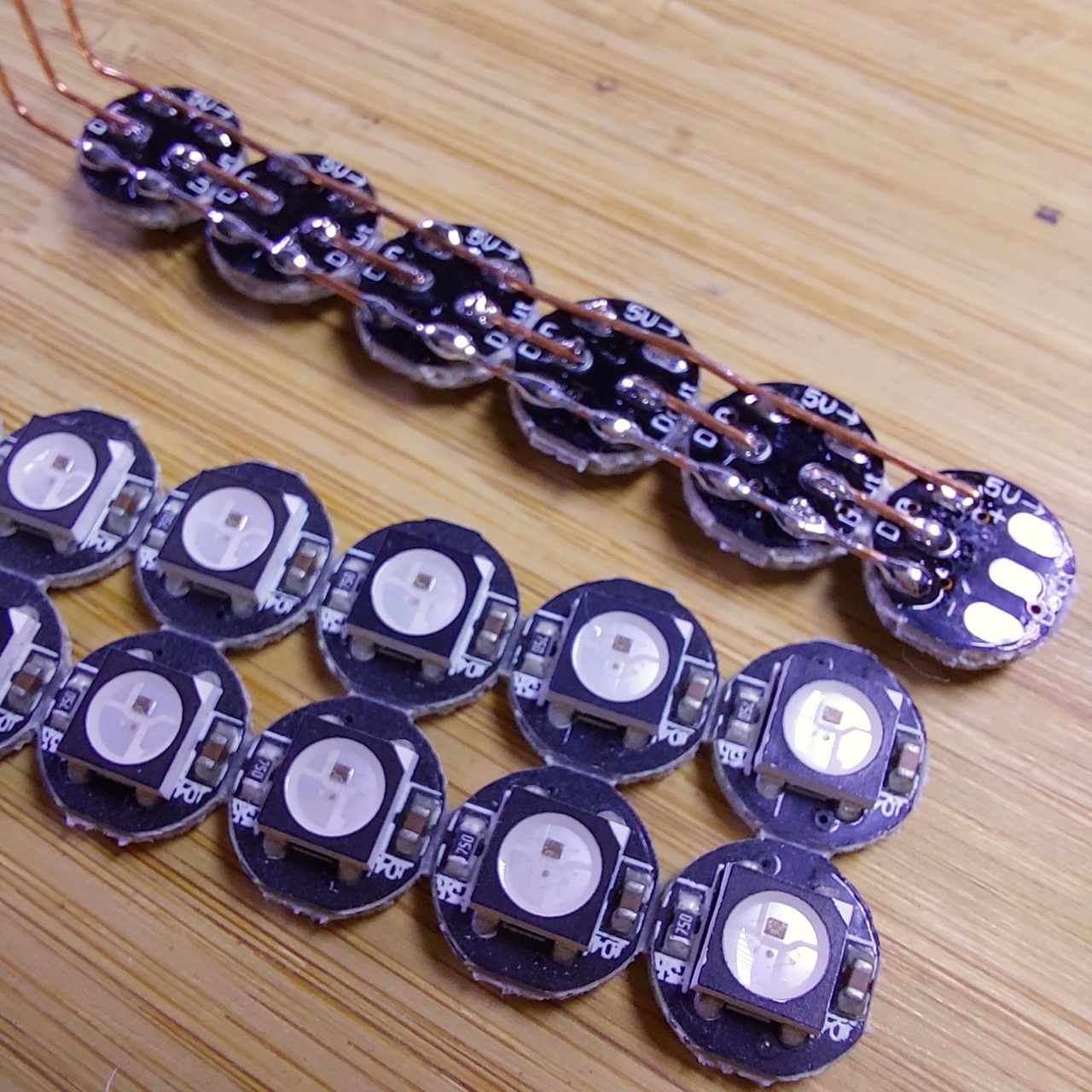
WS2812B strips typically expect Green-Red-Blue order, and that is in fact how these LEDs decode the data stream.
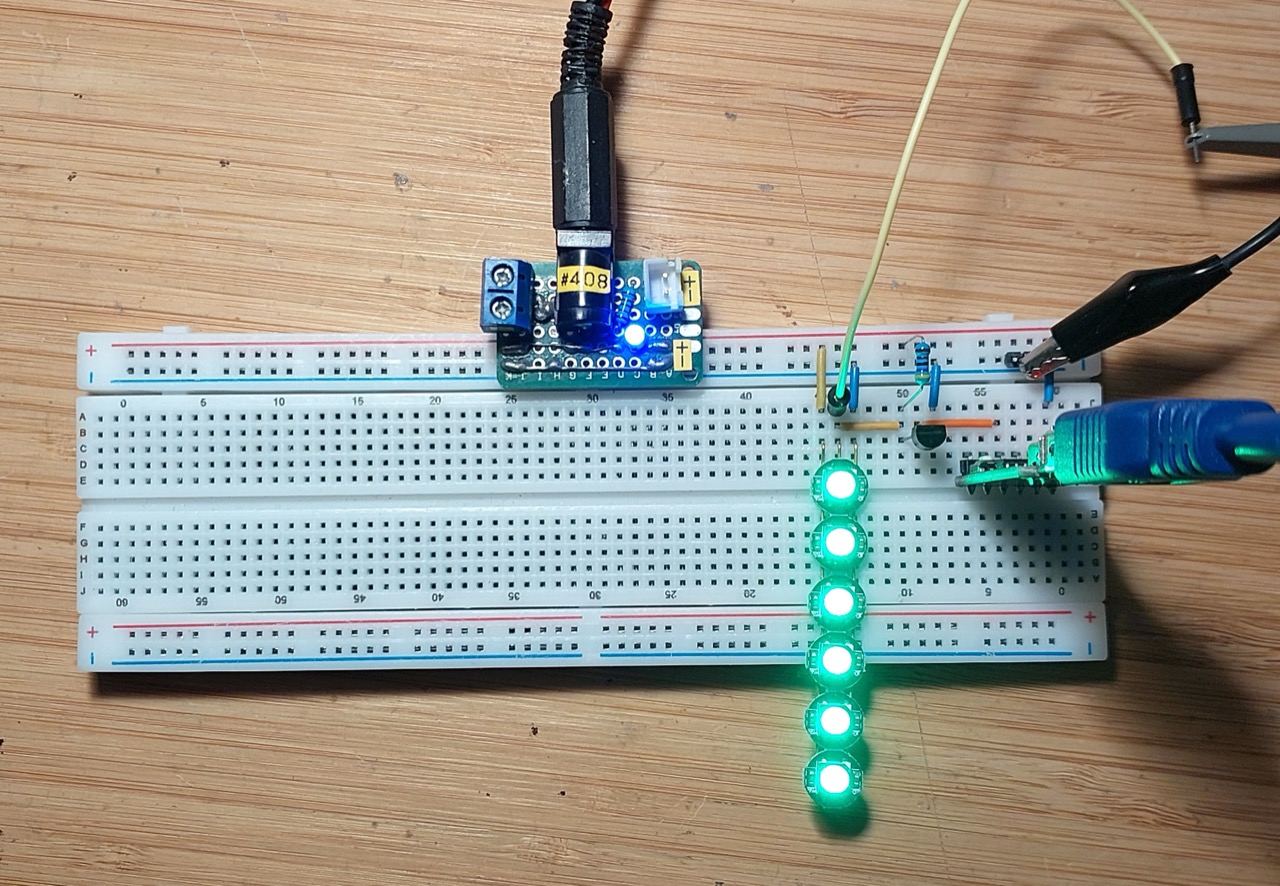
Testing on a breadboard:
CH340 Interface
For these tests, I’m using a CH340-based UART-TTL adapter plugged into my iMac. See LEAP#736 CH340 on Apple Silicon for more info on the interface and drivers.
It’s showing up on the following device handles:
$ ls -1 /dev/*usb*
/dev/cu.usbserial-2420
/dev/cu.wchusbserial2420
/dev/tty.usbserial-2420
/dev/tty.wchusbserial2420
Full Demo Cycle
The demo.nua file describes a sequence that sends Green-Red-Blue-White pulses up and back down the strip:
./ws2812bify.py -p /dev/cu.usbserial-2420 < demos/demo.nua
Or to run continuously:
for (( ; ; )) ; do ./ws2812bify.py -p /dev/cu.usbserial-2420 < demos/demo.nua ; done
Waveforms
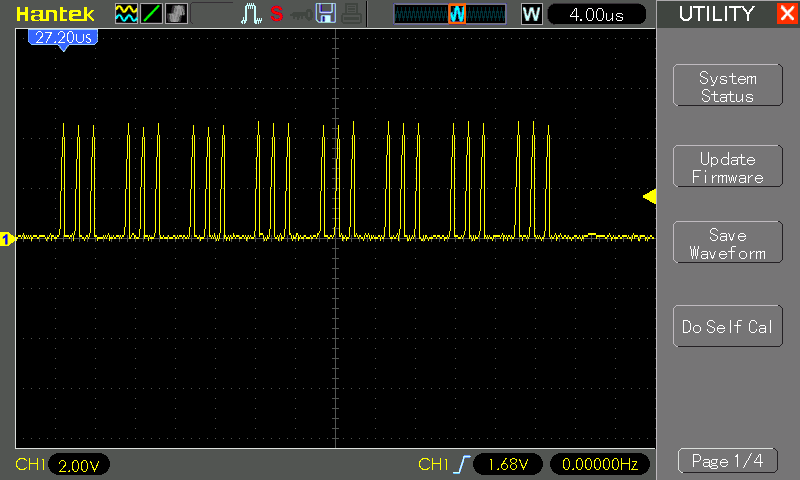
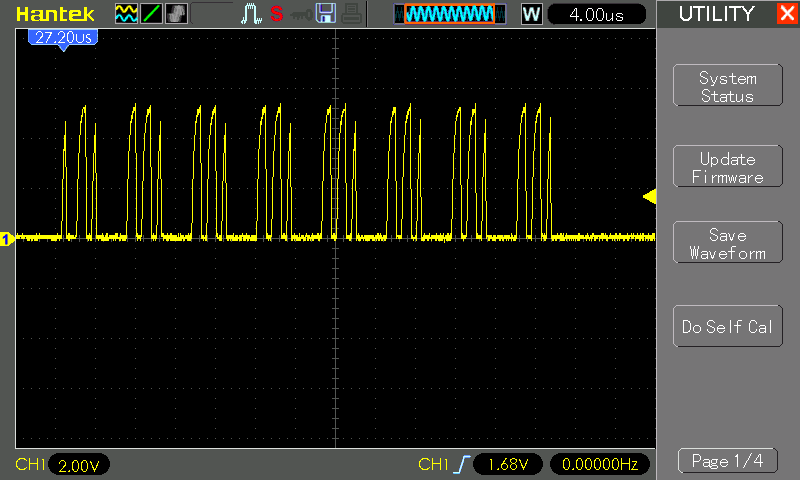
The baud rate is a bit too fast for my oscilloscope to capture accurate waveforms, but I can at least get the gist of what is going on.
Sending 1 pixel set to white:
$ echo -e "00FFFFFF" | ./ws2812bify.py -p /dev/cu.usbserial-2420
Sending data to /dev/cu.usbserial-2420 at 2500000 baud...
Sending 1 pixel set to black (off):
$ echo -e "00000000" | ./ws2812bify.py -p /dev/cu.usbserial-2420
Sending data to /dev/cu.usbserial-2420 at 2500000 baud...
Using a WS2811 Strip
Both the WS2811 and WS2812B operate at a standard data rate of 800 kbps (800 kHz), though older WS2811 chips also support a slower 400 kbps (400 kHz) mode.
I have an old string WS2811 LEDs. They only seem to work at the slower data rate.
The demo sequence runs nicely if we cut the baud rate in half:
$ for (( ; ; )) ; do ./ws2812bify.py -p /dev/cu.usbserial-2420 -b 1250000 < demos/demo.nua ; done
$ ./ws2812bify.py -p /dev/cu.usbserial-2420 -b 1250000 < demos/demo.nua
Sending data to /dev/cu.usbserial-2420 at 1250000 baud...
They also interpret the data stream as Red-Green-Blue. Sending R-G-B-R-G-B to the first 6 LEDs:
$ echo "00FF0000 00FF00 0000FF FF0000 00FF00 0000FF" | ./ws2812bify.py -p /dev/cu.usbserial-2420 -b 1250000
Sending data to /dev/cu.usbserial-2420 at 1250000 baud...
Credits and References
- “Drive a WS2812B strip with an UART”.
- “Give Your Raspberry Pi a NeoPixel”
- “WS2812B Matrix 4-Pin WS2812 LED Chip & Heatsink 5V 5050 RGB WS2811 IC Built-in 10~1000pcs(100pcs/board)” (aliexpress seller listing)
- Purchased strip of 20 for US$3.12 (Nov-2017)
- No longer available from this seller as of Nov-2026. Same/similar product currently available: “10-1000PCS WS2812B WS2812 4Pin RGB Led Chip 5050SMD WS2811 IC Black/White PCB With Heatsink DC5V”