
#779 xTool S1 Laser Cutter
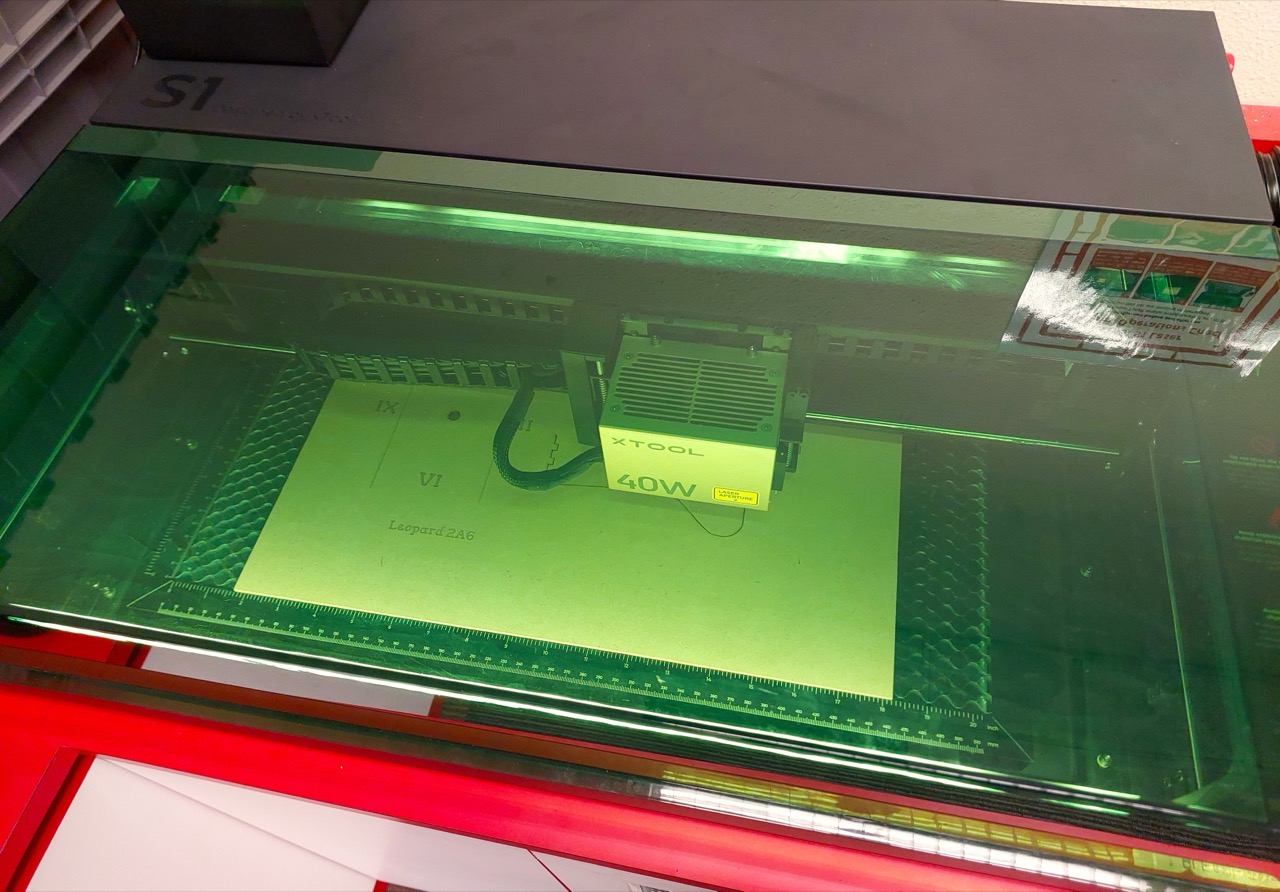
Using the laser cutting services available in Singapore’s National Libraries - xTool S1.
Notes
Last year I accidentally discovered that Singapore’s library service - the National Library Board (NLB) - has been running “MakeIt” centres in their libraries where a range of tools are available to citizens to use (including 3D printers, laser cutters, digital cutters, and sewing machines). This is an amazing service. They don’t (yet) have 3D resin printers, but these tools make rapid prototyping readily available to all residents at no cost.
For most of these services, they do require users to first complete a free starter course. These help make sure you can keep yourself safe, and save the machines from damage.
I’ve completed the training for the laser cutting facilities, so I can now book and use the devices available at currently 4 of the libraries (Jurong, Punggol, Tampines, Woodlands).
Note: as of July 2025, the xTool S1 units have replaced the Lionsforge Craftlaser devices previously available.
About the xTool S1
The library provides xTool S1 40W Enclosed Diode Laser Cutter devices. See the xTool S1 User Guide, the English PDF available here Note: laptops are provided all the required software pre-installed.
Features:
- Switchable laser modules satisfy the processing of almost any material.
- Pin-point™ positioning: 10 times more accurate than single-camera systems.
- Larger bed size than others: 23.93’’ x 15.16’’ for efficient batch processing.
- AutoPassthrough™ and 3D Curve™ Engraving.
- Class 1 Safety: 5-direction flame detection, emergency stop, lid-open safety stop and laser key lock.
- Available in 40W, 20W, 10W, 2W versions
In practice, the xTool S1 is a huge advance over the previous cutters:
- finely controlled engraving, making it possible to render greyscale images quite accurately
- easy setup
- very quiet and clean
- modern software that can combine engraving, cutting and scoring tasks in a single job
Specifications (40W)
- Laser Power : 40W
- Spot Size : 0.08 x 0.10 mm
- Working Speed : 600 mm/s
- Working Area : 19.6” x 12.5” (498 x 319 mm)
- Working Area with Automatic Conveyor Feeder : 18.5” x 118” (470 x 3000 mm) Additional transmission rail is required
- Output Voltage : 25V 11A
- Connection Way : USB/Wi-Fi
- Support XCS System :
- Phone: Android & iOS
- Tablet: iPad
- Computer: Windows 10 or above & macOS
- Software : XCS/Lightburn
- Support File : SVG/DXF/JPG/JPEG/PNG/BMP/TIF
- Product Weight : 20KG
- Product Size :
- 30.12” x 22.09” x 7.2” (765 x 561 x 183 mm) Excluding riser base
- 30.12” x 22.09” x 10.55” (765 x 561 x 268 mm) Including riser base
Software
When I first used the xTool S1, the software provided was called xTool Creative Space and used files with the extension .xcs.
Even then it was a huge improvement over the old Inkscape extensions used to generate separate engraving and cutting CNC G-code.
The latest software is called xTool Studio and the new file format has the extension .xs.
Features:
- Integrated vector editing support
- Integrated laser cutter control
- Runs on Android & iOS, iPad, Windows 10+, MacOS (Intel and Apple M)
- optional Cloud Storage account
- DesignFind: A curated collection of ready-to-edit designs and tutorials
- Material EasySet Library: library covers all xTool machines and materials, tested in our labs to ensure the best result.
- Software Learning Center
Note:
- when importing from Inkscape SVG, set the source document resolution to 72 DPI. This will ensure that objects remain at the same scale after import.
Recommended Settings
| Material | Thickness | Processing Quality | Light Engrave (Power%) | Light Engrave (Speed) | Dark Engrave (Power%) | Dark Engrave (Speed) | Score (Power%) | Score (Speed) | Cut (Power%) | Cut (Speed) | Cut (Passes) |
|---|---|---|---|---|---|---|---|---|---|---|---|
| MDF | 3mm | EXCELLENT | 20 | 150 | 40 | 150 | 30 | 250 | 100 | 15 | 1 |
| Dark Red Acrylic | 3mm | GOOD | 25 | 300 | 40 | 150 | 60 | 150 | 100 | 7 | 1 |
| Red Acrylic | 3mm | GOOD | 25 | 300 | 40 | 150 | 60 | 150 | 100 | 7 | 1 |
| Orange Acrylic | 3mm | GOOD | 25 | 300 | 40 | 150 | 60 | 150 | 100 | 7 | 1 |
| Brown Acrylic | 3mm | GOOD | 25 | 300 | 40 | 150 | 60 | 150 | 100 | 7 | 1 |
| Black Acrylic | 3mm | GOOD | 25 | 300 | 40 | 150 | 60 | 150 | 100 | 5 | 1 |
| Clear Red Acrylic | 3mm | GOOD | 35 | 200 | 50 | 150 | 60 | 150 | 100 | 4 | 1 |
| Green Acrylic | 3mm | FAIR | 40 | 150 | 50 | 100 | 60 | 100 | 100 | 7 | 2 |
| Clear Orange Acrylic | 3mm | FAIR | 40 | 150 | 50 | 120 | 60 | 100 | 100 | 6 | 3 |
| Yellow Acrylic | 3mm | POOR | 40 | 150 | 50 | 120 | 60 | 100 | 90 | 7 | 3 |
| Grey Acrylic | 3mm | POOR | 40 | 150 | 50 | 100 | 60 | 100 | 80 | 5 | 3 |
Clear Acrylic
Our libraries have the 40W diode laser option which cannot cut clear acrylic reliably. Clear acrylic transmits the laser light instead of absorbing it, so the laser passes through with little effect.
A CO₂ laser module is generally required to cut clear acrylic. The xTool S1 does not have this option.